The camera’s gate
Body, resolution, gate and squeeze set the frame’s shape. The lens series and focal length go with it.
The Shot List is every scene and shot in the project, each with a frame on the gate your camera actually records. Read it as a list, lay it out as a board, or flip through the frames in a grid. On the day, each shot’s frame and lens are on every phone on set.


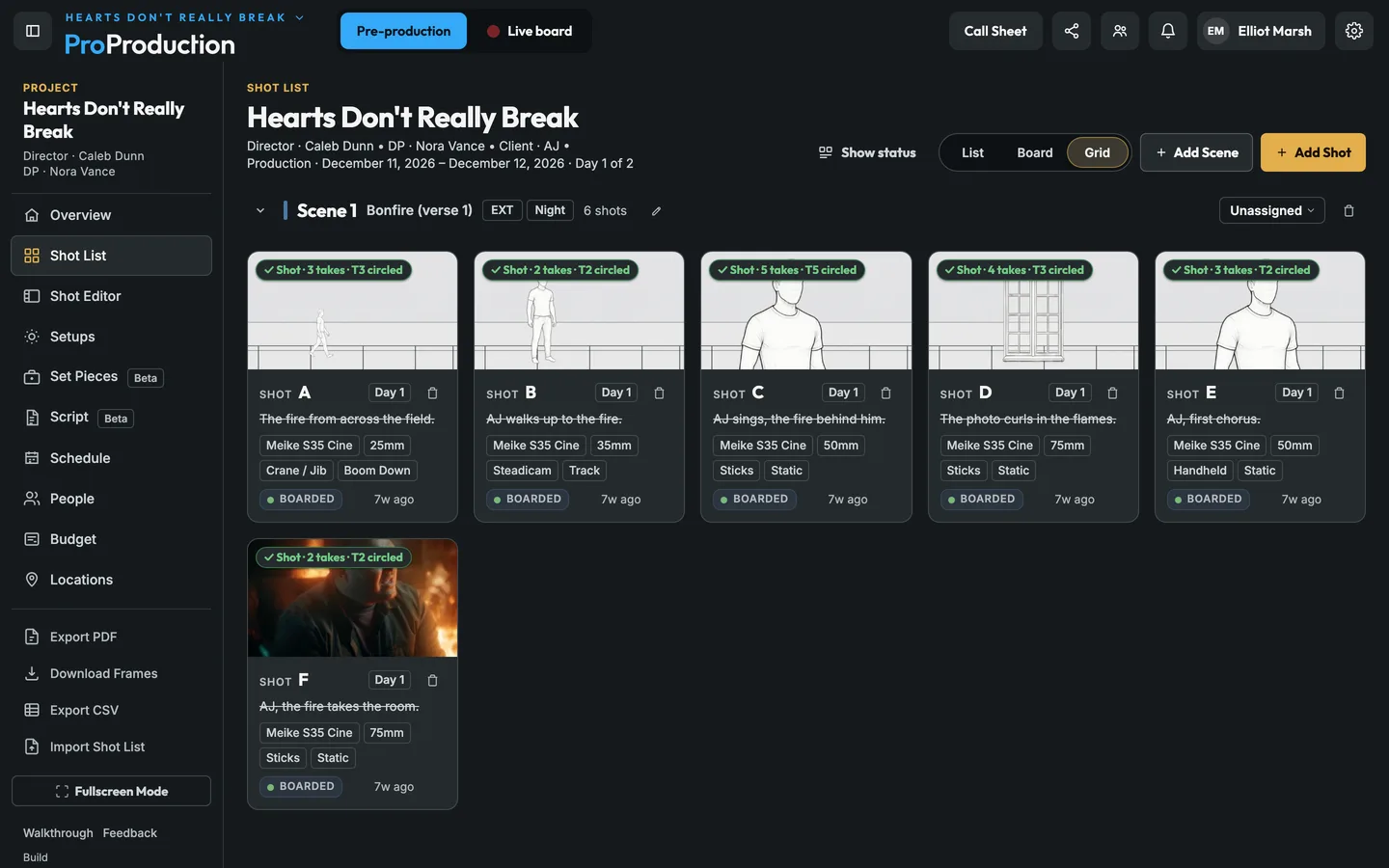
Import a CSV or paste rows from a spreadsheet, or start with Add Shot.
Sketch, build from the reference library, shoot on your phone, or pull a frame from a lighting setup.
As soon as it’s saved the frame shows up on the Schedule, the call sheet and the live board.
Most shot lists start in a spreadsheet. Import the CSV, or copy the rows straight out of Sheets or Excel and paste them in, and each column lands where it belongs. Send it back out as a CSV or a PDF any time.
On a real shoot. The director sends a 120-row shot list from Google Sheets the night before prep. Paste it in, and by morning the DP is boarding frames on it and the AD is putting shots on days.
Figures, furniture and windows from the reference library, placed on the gate of the shot’s camera. Or sketch it, or take a photo on your phone framed for the lens. Once the shot’s done, the frame from the camera replaces it.

On a phone it becomes a viewer with every frame, every angle and the shot details, plus a camera button for grabbing a frame on location.

Body, resolution, gate and squeeze set the frame’s shape. The lens series and focal length go with it.
Tilt a reference in 3D so it sits on a wall or the floor and a plate from the library matches the angle.
Check how the frame works at 9:16, 4:5, 1:1, 16:9 or 2.39:1 for each delivery.
The lines a shot covers are right next to the frame while you board it.
Talk about the frame right on the shot. If you mention someone they get a notification.
Only one person edits a shot at a time. Everyone else sees it update live and can ask to take over.
No. You can build frames from the reference library, take a photo with your phone framed for the lens, or generate one from a lighting setup. Or skip frames and use it as a plain shot list.
Yes. Each shot is edited by one person at a time and everyone sees the changes as they happen, so different people can work on different shots at once.
It's free for one project, from the script to the live board, and you don't need a card.