Runs the board. Marks shots done or dropped, ends meals and moves, logs delays, and sees who has checked in.
For anyone who makes film and video
Run the shoot day.
Run the shoot day.
Everyone on set can see it.
Everything you plan before the shoot fills one live board for the day. The AD runs it, and the rest of the crew follow along on their phones, even people without an account.
The demo is the real app with a sample short film in it, and you don't have to sign up. Its shoot day starts when you open it.
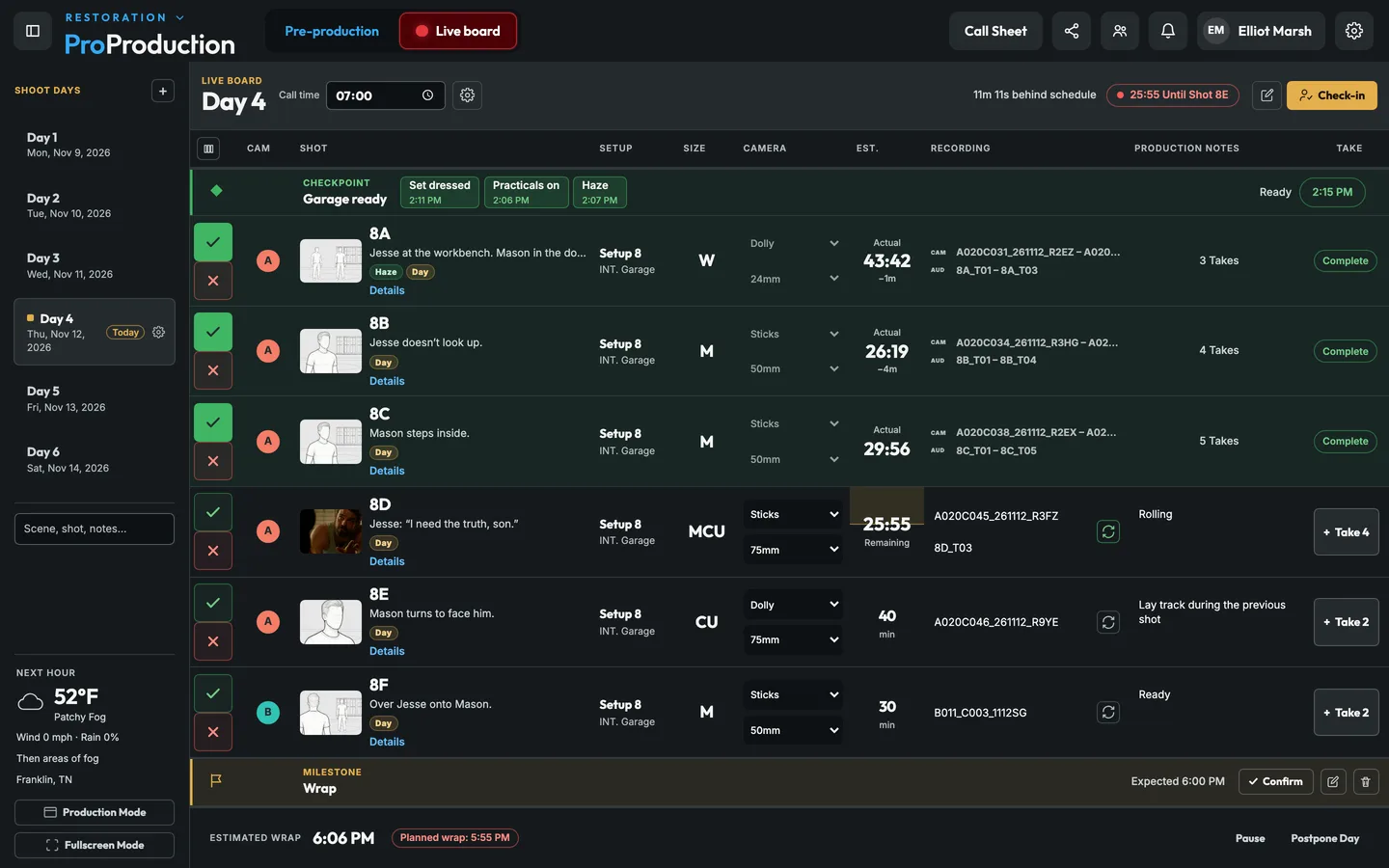
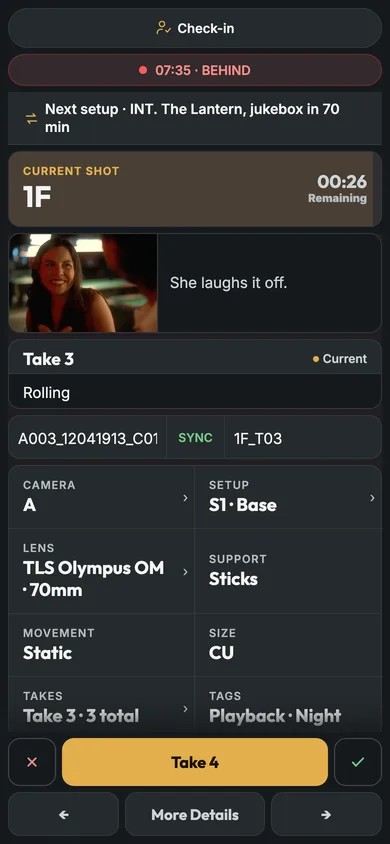
Every change shows up live
No app to install
Rolls ARRI, RED, Canon and Blackmagic
From a three-day short to a studio feature
New
Just added to ProProduction.
A real Schedule with strips, a call sheet you can watch land, your shots playing along with the script, scout photos on a map, and teams that share their stages.
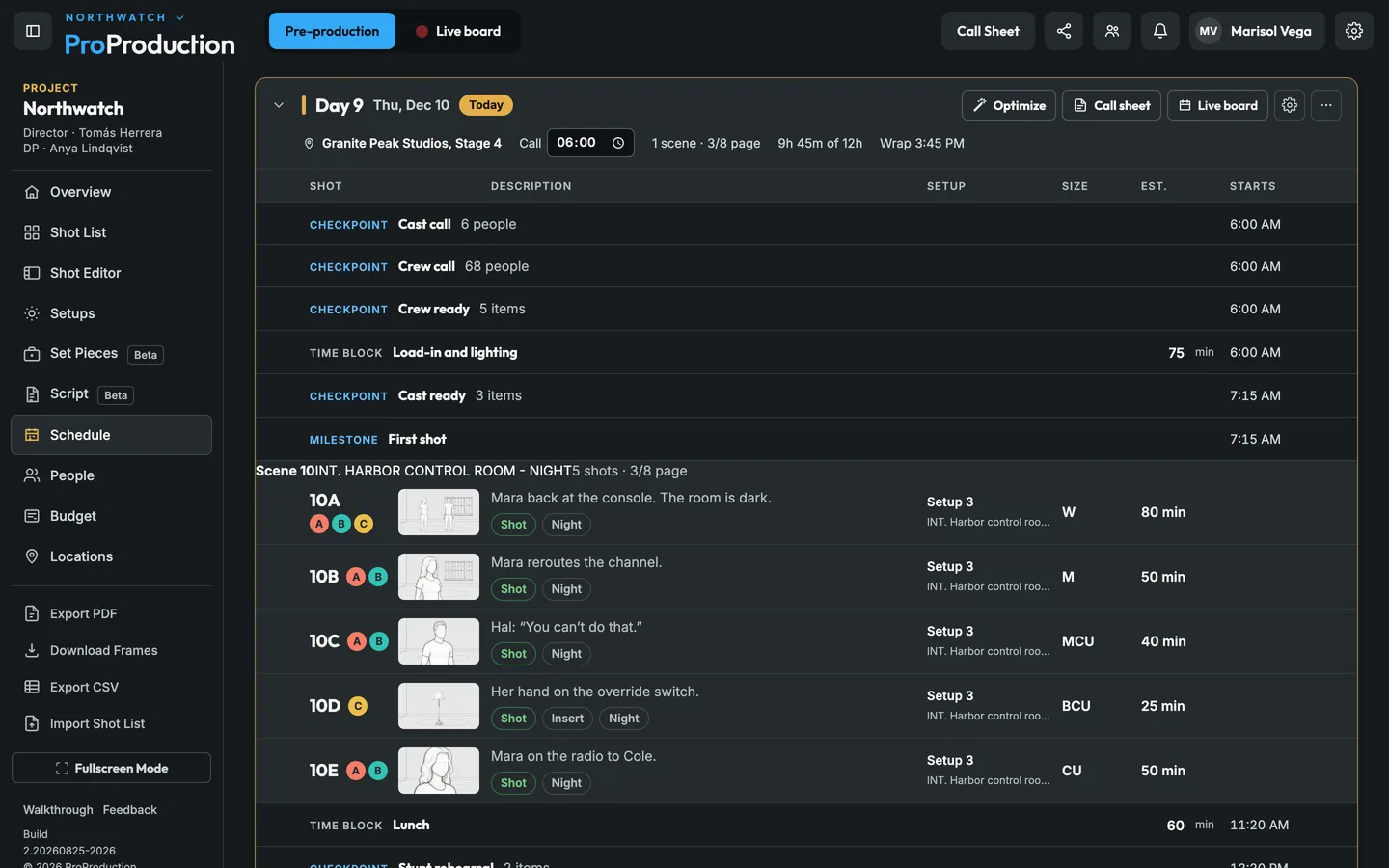
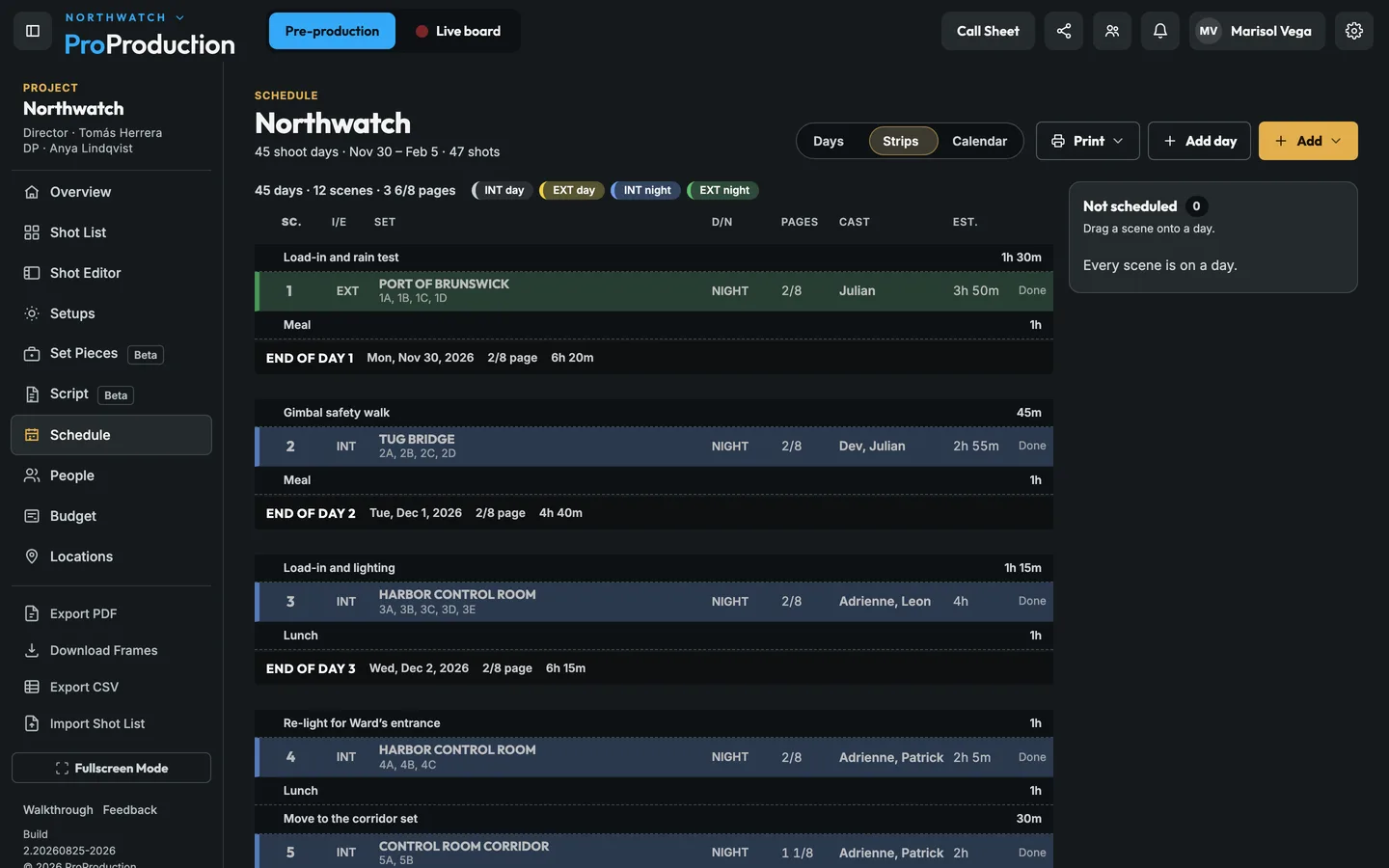 Schedule and StripsDays as cards with their call and length against 12 hours, drag between days, a stripboard and one-liners that print.See how it works
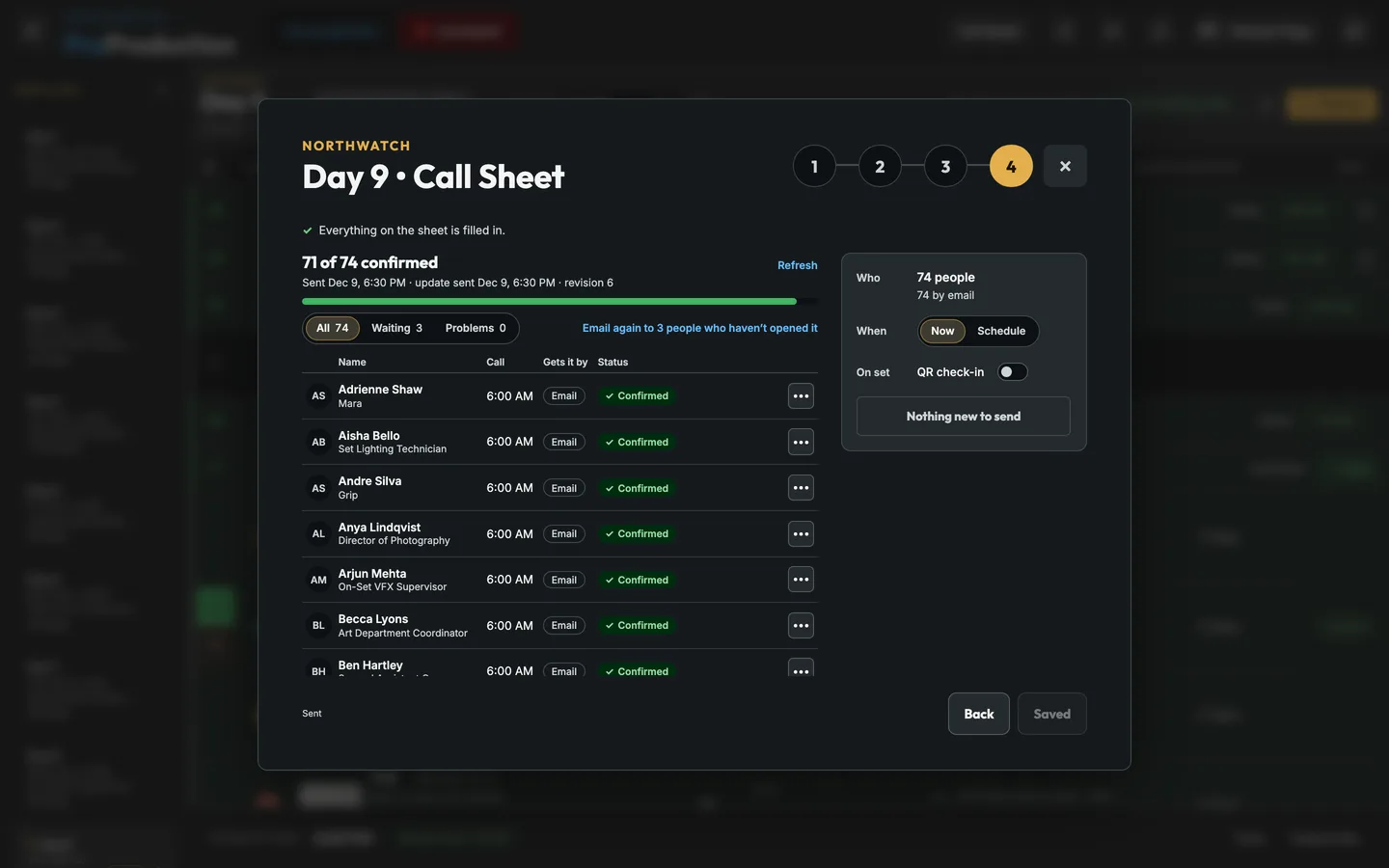 The call sheet’s Send stepEveryone on the sheet, how they get it and whether they’ve opened and confirmed, with one button that says what it does.See how it works
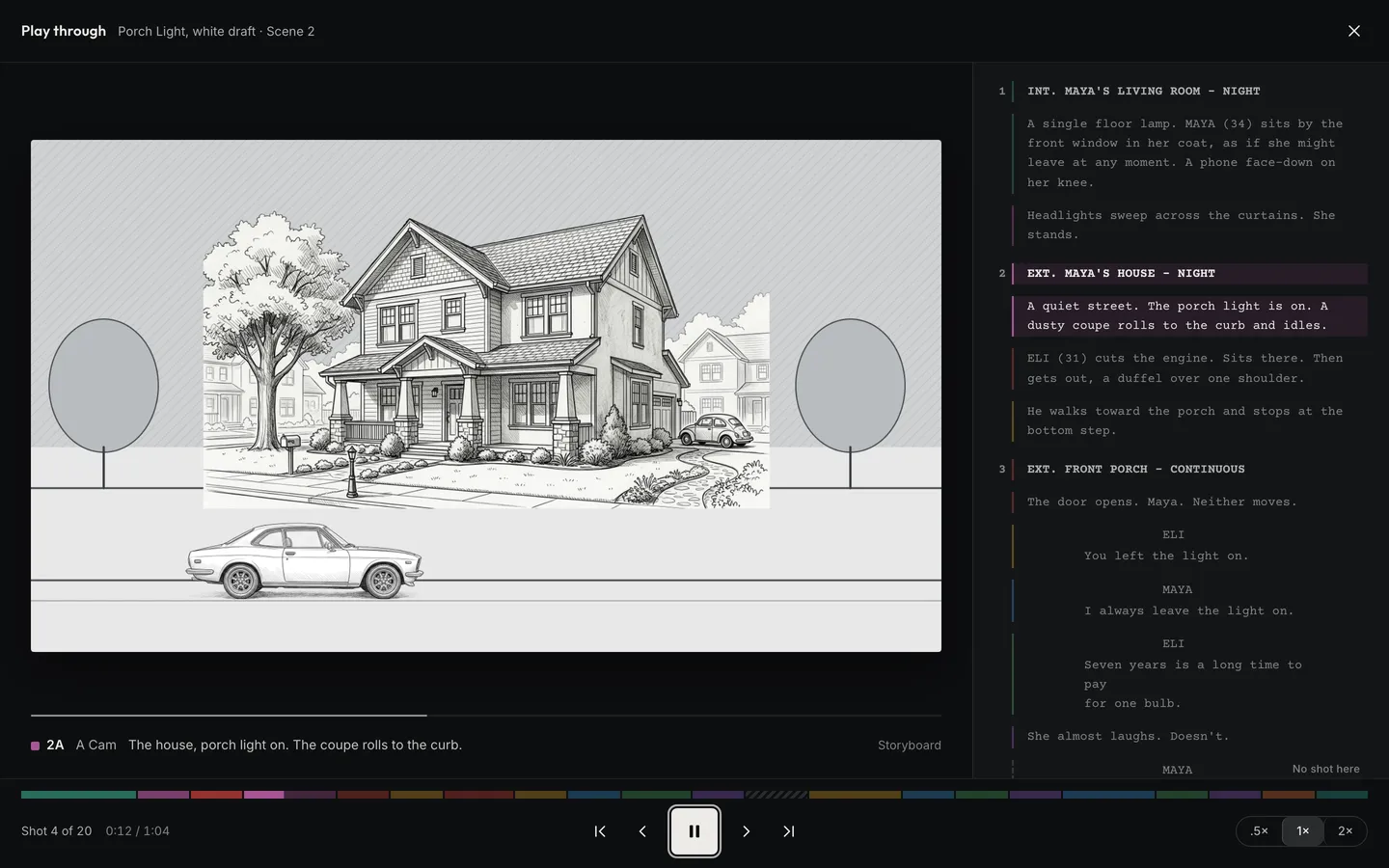 Script Play-ThroughYour shots play along with the script. Plus writing, Word import and breakdown sheets.See how it works
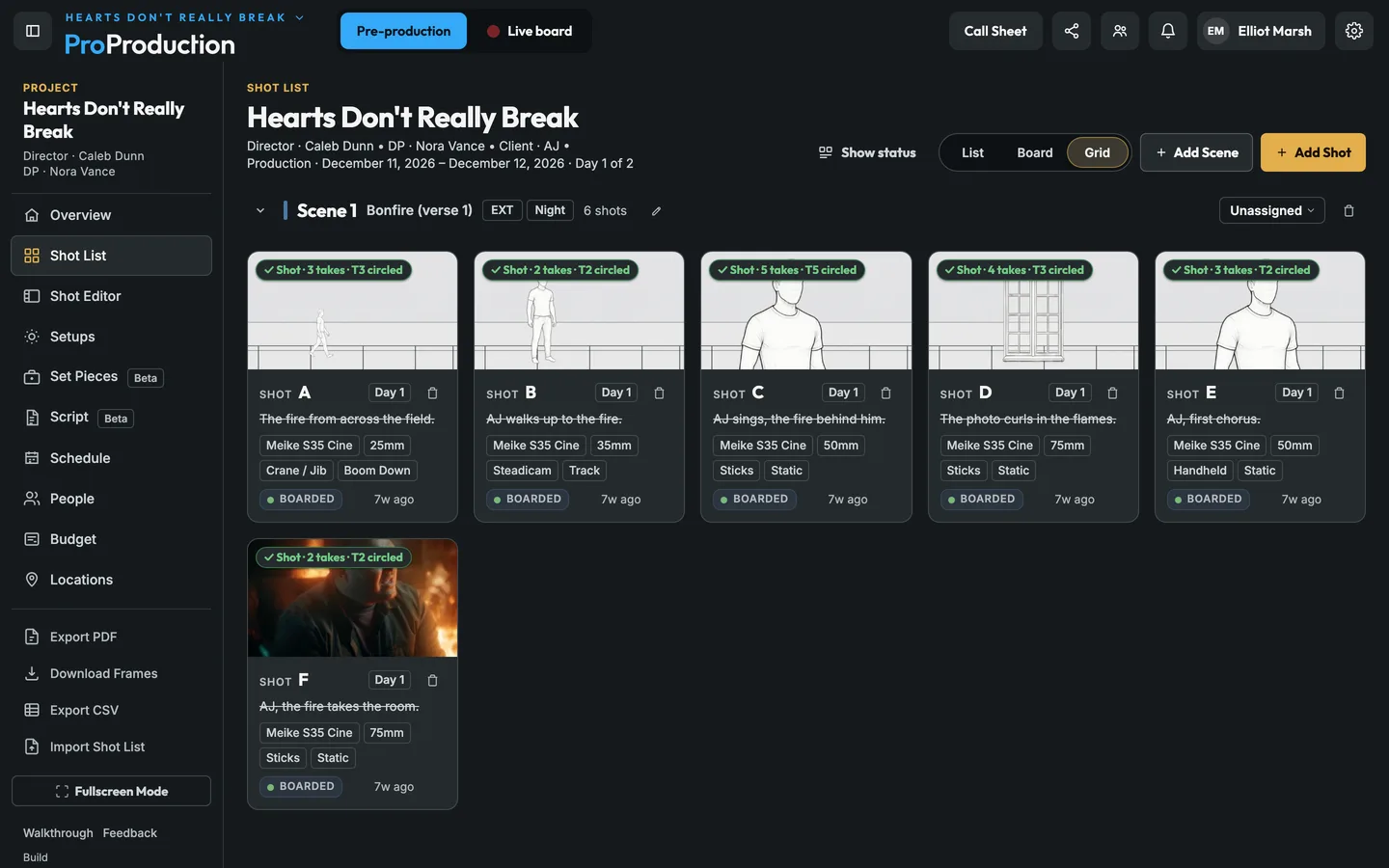 The Shot ListList, Board and Grid views, and shot lists in and out as CSV or rows pasted from a spreadsheet.See how it works
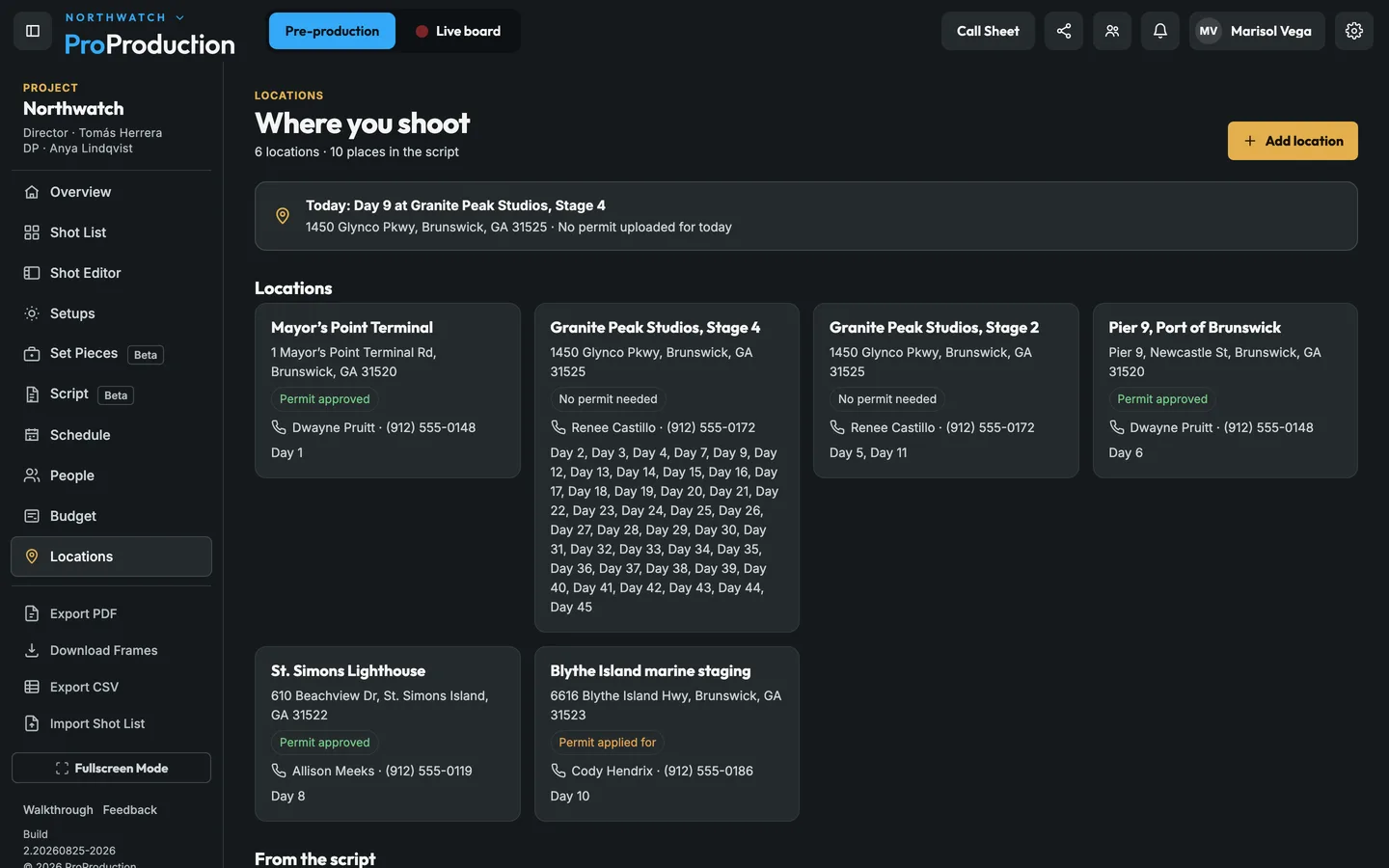 Locations and scout photosPhotos with where you stood and which way you faced, and one location carried from the script to the budget.See how it works
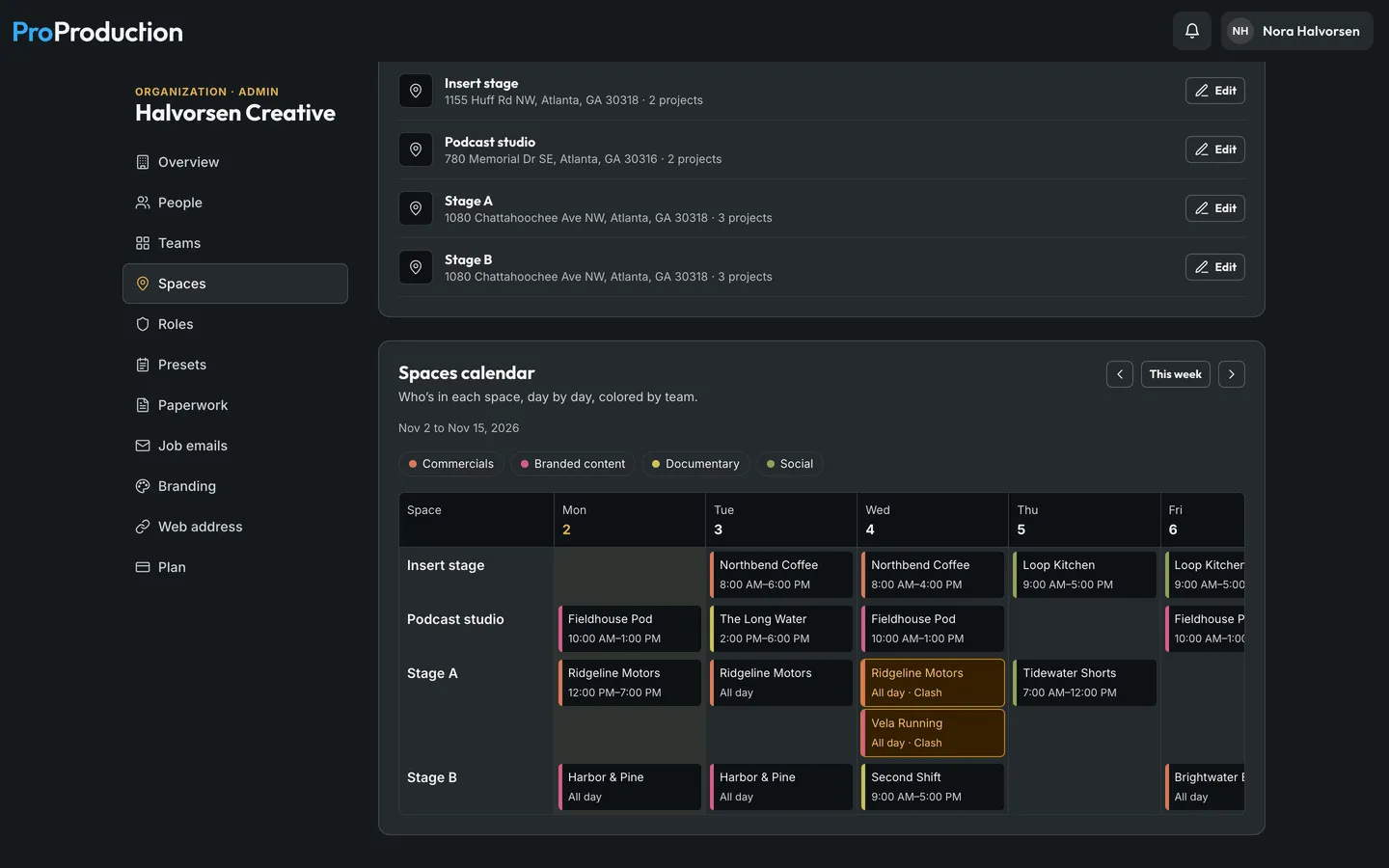 Teams, Spaces and your own addressSeveral teams in one Organization, shared studios with booking warnings, and Enterprise on your own domain.See how it works
Coming soon
What we’re building next.
- Mass textingText the whole call sheet at once from ProProduction, with each text’s delivery status on the Send step.
- The Mac appCamera control and the live board in an app for the Mac at video village, finding the cameras on the set’s network for you.
- Notes on everythingA note on a shot, setup, day or call sheet, sent to a person or a whole department, open until it’s done.
- A board for each departmentThe live board sorted for each department: grip and electric see the next setup first, hair and makeup the next actors.
Before the shoot
Everything you prepare ends up on the day.
Each thing is set up once, in one place. When you put scenes on a shoot day, their shots arrive with everything that was planned for them.
- Script and locations. The scenes and lines each shot covers, and where the day is: the address, parking, nearest ER and weather.
- Shot List and setups. Each shot's frame, size, lens and support for every camera, and the lighting plan it uses.
- Crew and cast. Who's booked that day, their call and their department, and which actors are in each shot.
- The Schedule. Each day as a card with its call and length against 12 hours, or the whole shoot as strips, with setup, meals, moves, checkpoints and a planned wrap.
Cameras and lenses
Every camera and lens is already in.
Pick the bodies you’re shooting on and the lenses you’re bringing. Every frame, field of view and lens on the day comes from them, so the plan matches what the camera will really see.
- 108
- camera bodies from 11 makers
- 1,968
- sensor gates, across every resolution they record
- 268
- lens series from 39 makers, 69 of them anamorphic
- 2,027
- focal lengths
Storyboards on the real frameEach frame takes the shape of the body, resolution and gate, anamorphic squeeze included.
Photos framed for the lensShoot a frame on your phone and it’s cropped to what the shot’s camera and lens see.
Setups with real anglesCameras on the lighting plan draw the field of view they really cover for the body, gate and focal length.
The lens on every shotOn the day, each shot carries its camera, lens and focal length to the board and every phone.
Each camera’s networkLook up any body to see how it connects and what you can run from the board.
On the day
One board, and everyone has a part in it.
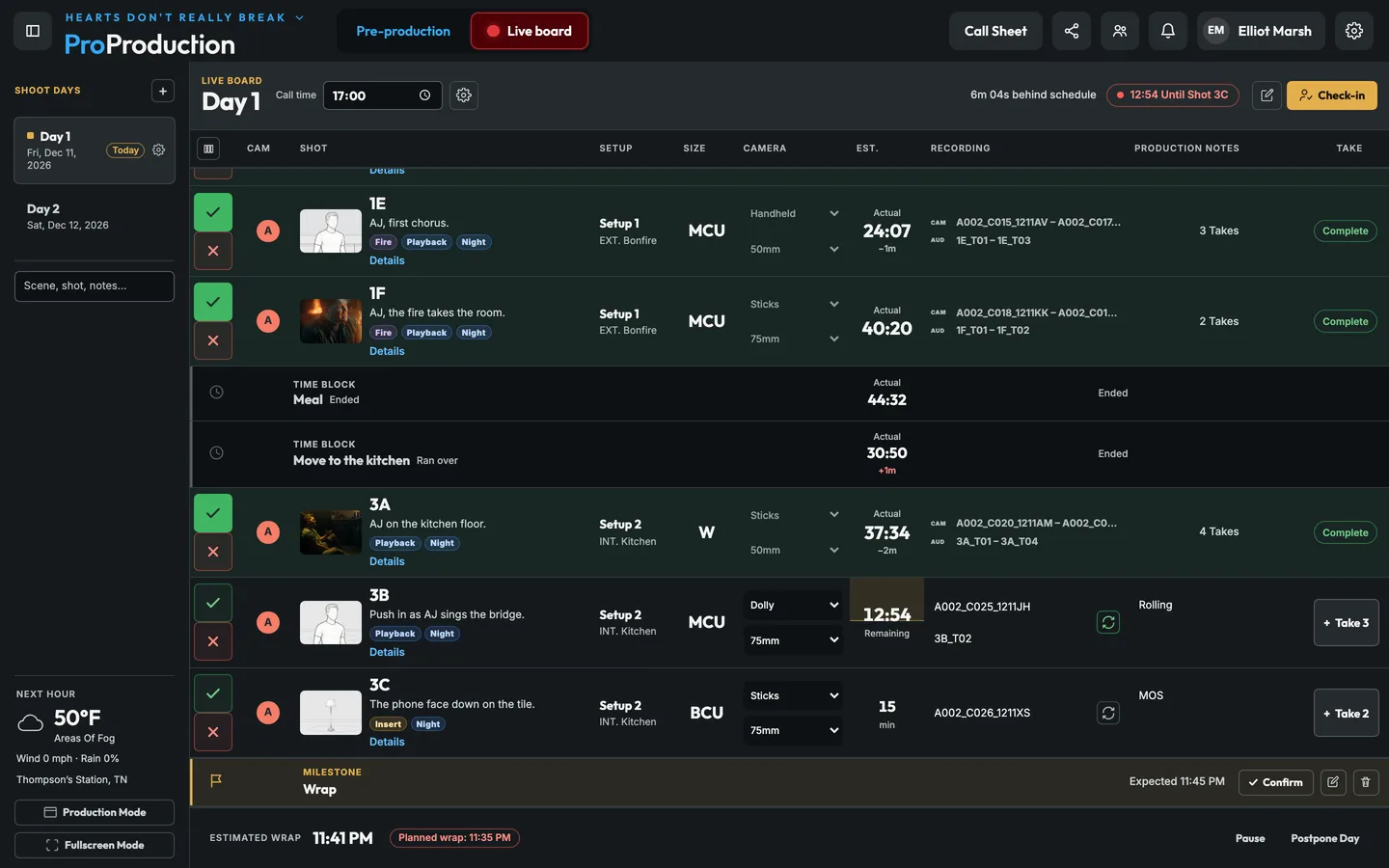
The board shows what's shooting, what's next and how far ahead or behind you are. It's the same board on every screen, and each department reads its own part of it.
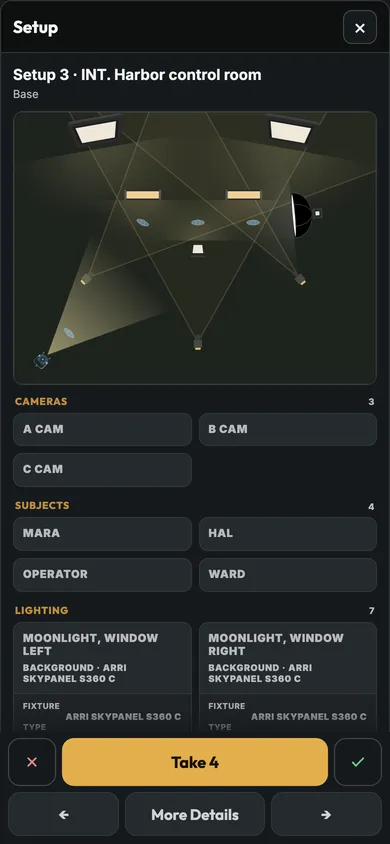
Swipe to the next shot and open its setup: the plan from above, every light with its fixture, modifier and support.
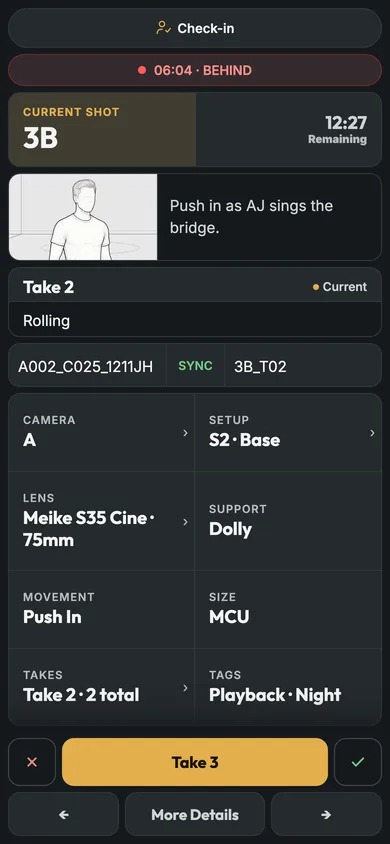
Each shot's camera, lens, focal length, support and movement, and its storyboard frame.
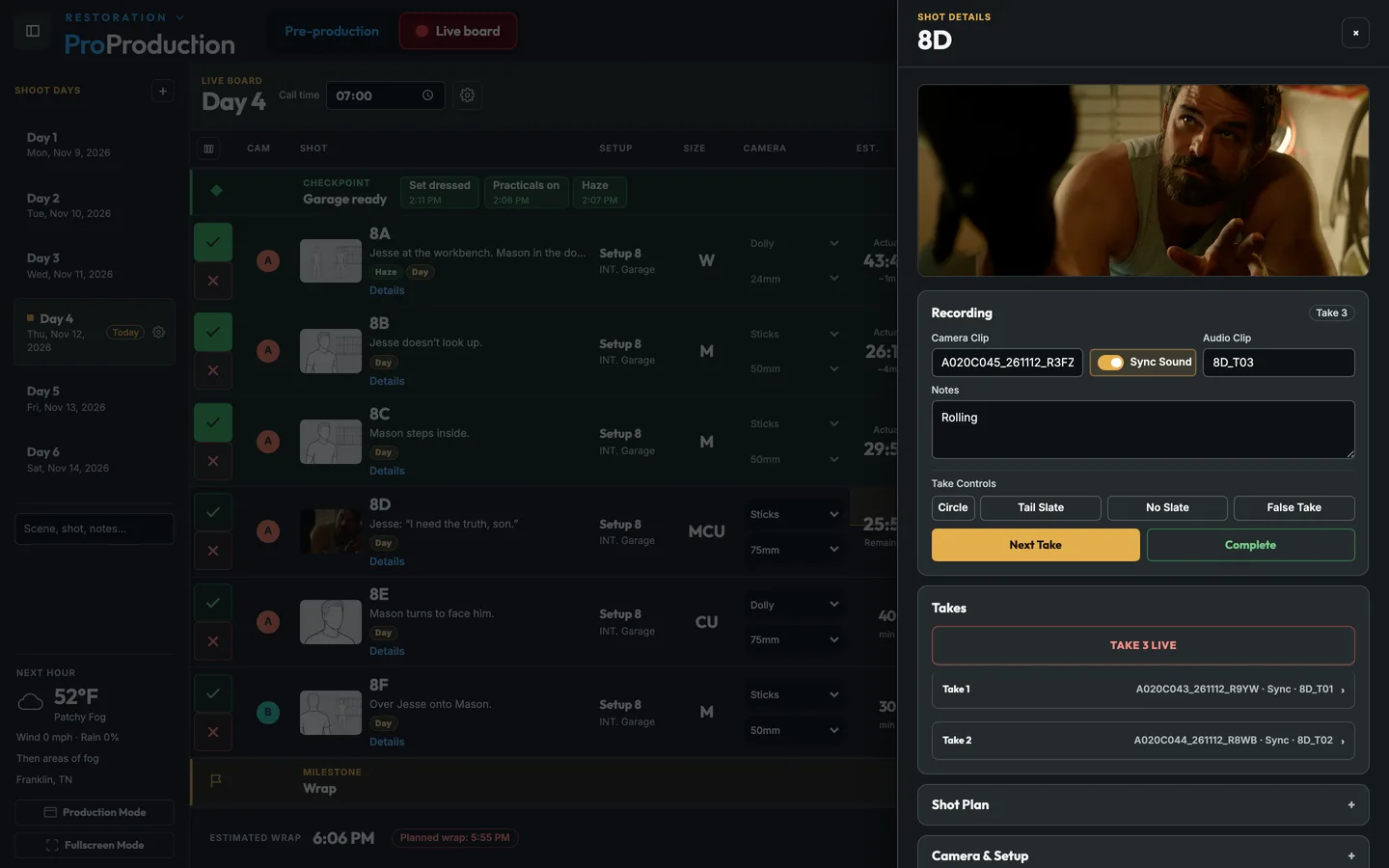
Log every take as it rolls: camera and audio clip names, circled takes, false starts, tail slates and notes.
Every take with its clip name, timecode and camera settings, filled in by the Camera Agent.
A cast-ready checkpoint with each actor's ready time. If an actor won't be ready for their shot, the board flags it.
How far ahead or behind the day is and the estimated wrap against the plan. Costs over the spending limit wait for their approval.
What's shooting and how the day is going, from a link on their phone. No account or app needed.
Call sheets
The call sheet is the day, sent ahead.
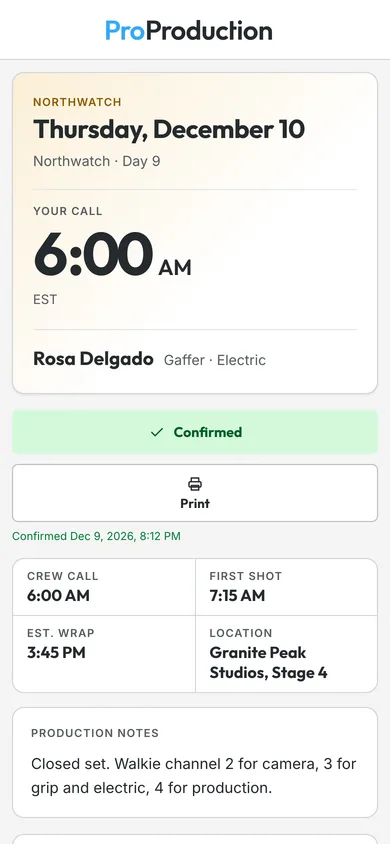
Each person gets their own part of the day: their call time, the scenes, where to go and park, the nearest ER and the weather. It comes from the same plan, so it says what the board says.
- Confirmed, not just sent. See who opened it and who confirmed. If the plan changes, send an update.
- Check in on arrival. Crew scan the set's QR code and the board shows who's here.
- Then the live board. On the day, the same link opens the board for anyone you've given access.
After wrap
The day goes to post and to the budget.
What the board recorded doesn't have to be typed up again. It becomes the reports and the numbers.
- Reports. A day report of planned against actual, with the reason for each delay, and a post-production report of every camera's clips, audio, circled takes and notes.
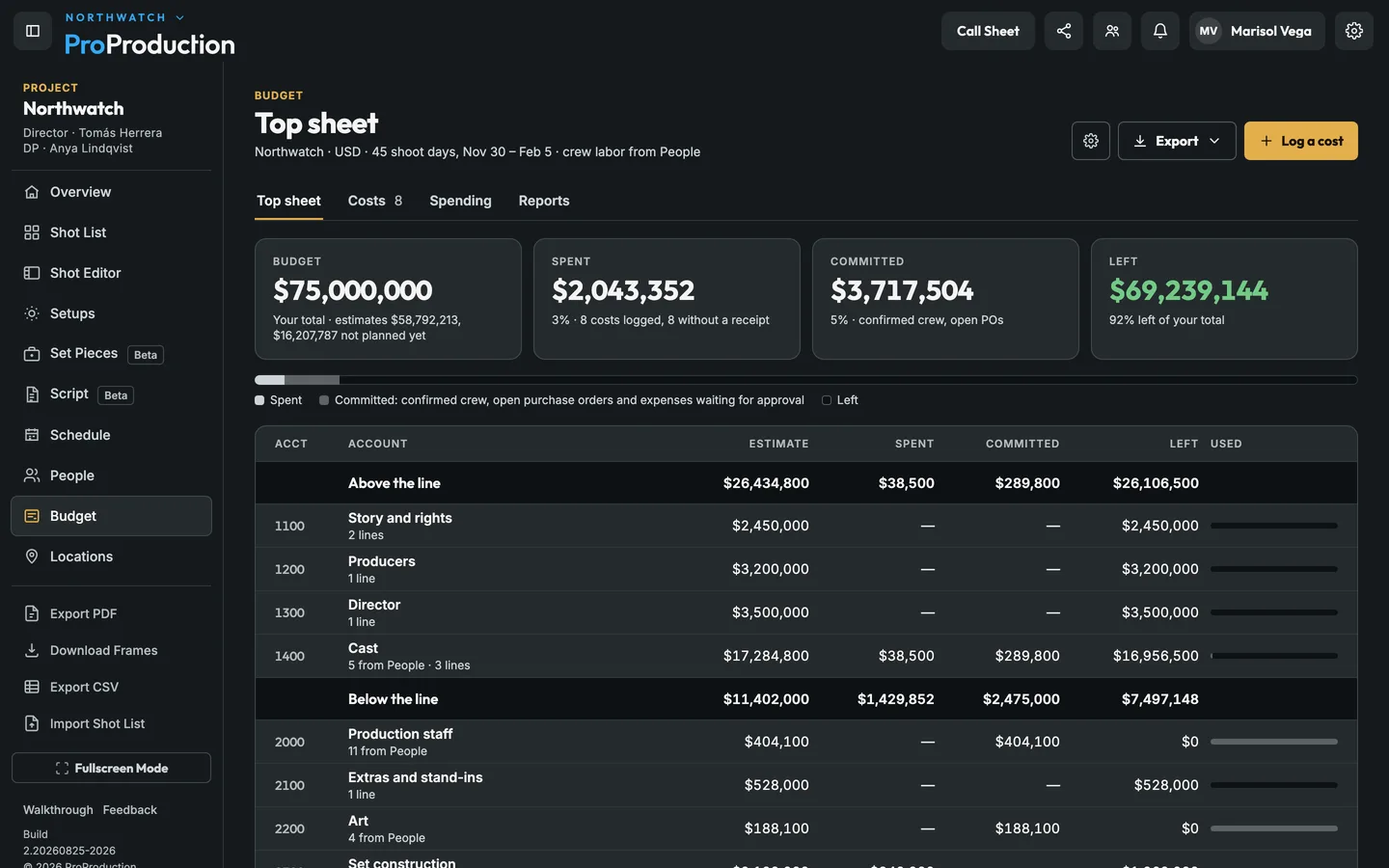
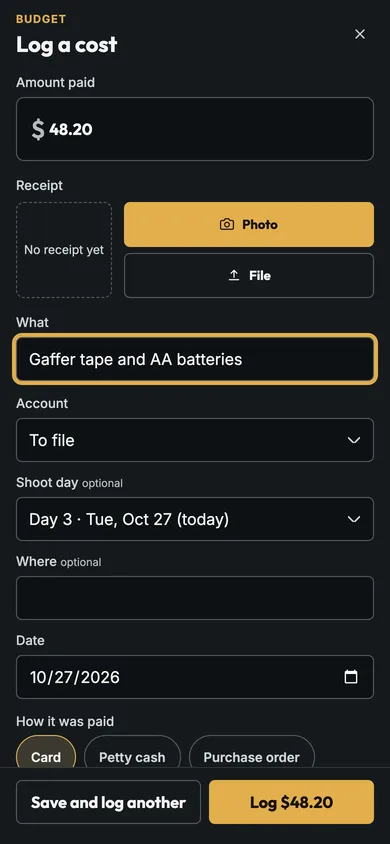
- The budget. Costs logged on set land on their account and day, and crew labor comes from the days people were booked.
- The next day. Postponed shots carry over to the next day's plan.
- ALE and CSV. Each day's takes and camera data, ready to import into Resolve or Avid.
Cameras on the board
Roll from the board and the takes name themselves.
Run the Camera Agent on a Mac at video village and your cameras join the day. You can roll and cut from the board, every clip is matched to its take with the camera's settings, and the crew can watch the picture on their phones.
- ARRI, RED, Canon and Blackmagic. Each one is controlled through its maker's own protocol.
- If the internet drops. Phones on the set's network keep the picture, and the board sends its changes once the connection is back.
AI
Your work stays yours.
We're against generative AI replacing art. In ProProduction, AI is off unless you turn it on, and it never does the creative part. How we use AI
Off unless you turn it on
Nothing is sent to an AI provider unless you add your own Anthropic key. We don't have an AI key of our own.
Your key, your bill
You pay your AI provider directly for what you use. Keeping AI off our bill is part of why the plans cost what they do.
Against AI replacing art
Your story, your frames and your choices are the art, and they stay yours. AI in ProProduction only does the typing and only if you want it to.
Designed by people
AI helps us build ProProduction. Every system, decision, workflow and feature was designed by a person.
Pricing
Pay for what you shoot.
Start free on one project. Pay $10 for all of your projects, $20 for a team of 3, or $59 for an organization of 5.
- 1 project
- 50 shots per project
- 250 MB of storage
- Just you
- Call sheets by link only
- No PDF export
- No camera control or live stream
- Crew can view
- No shared presets or paperwork
- No company sign-in
- No branding
- Nothing to cancel
- Unlimited projects
- Unlimited shots
- 10 GB of storage
- Just you
- Call sheets by email
- PDF export
- Camera control and live stream
- Crew in any role, on the live board
- No shared presets or paperwork
- No company sign-in
- No branding
- Stop paying and you’re on Free; nothing is deleted
Studio
A small crew sharing its projects.
$20per month
3 people included, up to 10 · or $199 a year
Start a team- Unlimited projects
- Unlimited shots
- 20 GB of storage
- 3 people, then $5 a month each, up to 10
- Call sheets by email
- PDF export
- Camera control and live stream
- Crew in any role, on the live board
- No shared presets or paperwork
- No company sign-in
- No branding
- Stop paying and the team is on Free; nothing is deleted
Organization
A studio, school or company with departments.
$59per month
5 people included, then $5 a month each · or $599 a year
Start an organization- Unlimited projects
- Unlimited shots
- 50 GB of storage
- 5 people, then $5 a month each
- Call sheets by email
- PDF export
- Camera control and live stream
- Crew in any role, on the live board
- Shared budget presets, contracts and permissions
- Sign in with Microsoft, Google, Okta or any OpenID Connect provider
- Your branding on call sheets and emails
- Stop paying and the team is on Free; nothing is deleted
- Crew and collaborators join free, on every plan.
- AI is optional and runs on your own key. We never charge for it.
Enterprise. Your own domain and branding, email from your own address, sign-in with Microsoft, Google, Okta or any OpenID Connect provider, and ProProduction connected to the systems you already use. Talk to us
Pay once for one project: $15 for 60 days of everything. When it ends the project stays, read-only.
Buy a project pass · $15For one project of your own, with 2 GB of files. Not for team projects. Plus sales tax where it applies.
Compare the plans side by side
Free$0
Individual$10/mo
Studio$20/mo
Organization$59/mo
Projects
1
Unlimited
Unlimited
Unlimited
Shots
50
Unlimited
Unlimited
Unlimited
Storage
250 MB
10 GB
20 GB
50 GB
People on the plan
You
You
3, +$5 each, max 10
5, +$5 each
Call sheets by email
Link only
Yes
Yes
Yes
PDF export
No
Yes
Yes
Yes
Camera control and live stream
No
Yes
Yes
Yes
Crew and collaborators
View only
Any role
Any role
Any role
Presets, paperwork and permissions
No
No
No
Yes
Company sign-in (SSO)
No
No
No
Yes
Your branding
No
No
No
Yes
If you stop paying
—
Nothing lost
Nothing lost
Nothing lost
Prices are in US dollars, plus sales tax where it applies. Watching the cameras from off set (Remote Stream) is sold by the hour, and the hours never expire: $0.10 an hour by the month, or $0.15 an hour if you buy once. How it works
Weighing other tools? How we compare with StudioBinder, SetHero and Shot Lister, including where they do better.
FAQ
Common questions
What people ask before they start. Anything else, email hello@proproduction.app
Plans and billing
What do I get for free?
One project with up to 50 shots: storyboards, setups, schedule, people, budget and the live board. People you invite can view it. No card needed.
Do my crew need a plan or an account?
No. Crew and cast open their call sheet, check in and follow the live board from a link on their phone, with no account and no app. Anyone you add to a project joins free on every plan; only the people who run projects pay.
What happens to my projects if I move to Free?
Nothing is deleted. You choose one project to keep editing; the others become read-only until you upgrade. Download archives of them before your plan ends, because archives aren’t available on Free.
Cameras and Remote Stream
Which cameras can I control?
ARRI, RED, Canon and Blackmagic, through each maker’s own control protocol, with the Camera Agent on a Mac at video village. Look up your model on the Camera control page to see how it connects, whether it sends a picture and what you can run from the board.
Teams
Studio or Organization?
Studio is for a small crew sharing its projects: up to 10 people, everyone with everything in Individual. Organization adds what a company needs: several teams with their own projects, leadership who see everything, shared Spaces with booking warnings, roles and permissions by department, budget presets and contracts every production starts from, your branding and your own web address. A Studio can move up to Organization any time, paying the difference that day, and back to Studio at renewal if it has 10 people or fewer.
AI
Does AI see my projects?
Only if you add your own Anthropic API key in Account → AI and use an AI feature. There’s no ProProduction AI key, so without yours nothing is sent to an AI provider.
Get started
Use it on your next shoot.
Signing up takes about a minute and you don't need a card. But if you'd rather look around first, try the demo with a sample production. There's no sign-up. It runs in your browser, so when you want to keep your work, make an account.